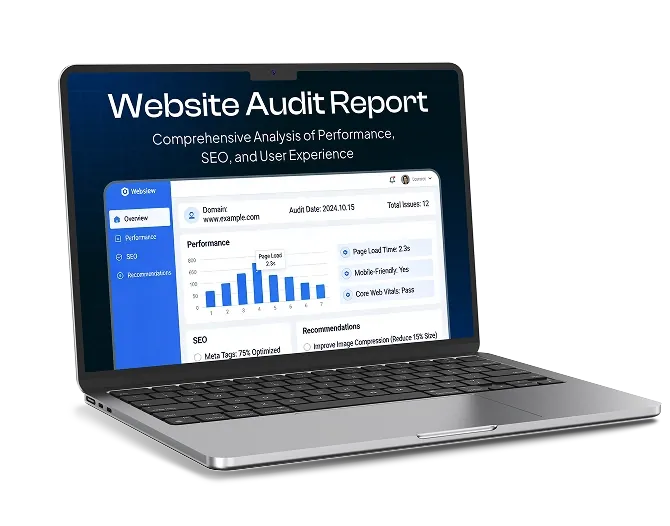
You click on your own website and wait. And wait. If that sounds familiar, your visitors are feeling the same frustration, and many of them won’t stick around to see your page finish loading.
Website speed matters more than ever. People expect pages to appear almost instantly, especially on their phones. Slow pages lead to fewer enquiries, fewer sales and lower engagement, and page experience is also one of the signals Google uses when ranking websites.
The good news is that slow websites usually suffer from a handful of common problems, and most of them can be fixed. In this guide, we’ll show you how to test your website’s speed, explain the most common causes of slow pages and share practical ways to speed things up.
Step 1: Measure Your Website’s Speed
Before making changes, find out how your website currently performs. These free tools are a great place to start:
- Google PageSpeed Insights: enter your web address to get a performance score for mobile and desktop, along with specific suggestions for improvement
- Google Search Console: the Core Web Vitals report shows which pages need attention, based on real visitors’ experiences
- Your own phone: load your website on mobile data, not just Wi-Fi, to see what many visitors experience
Understanding Core Web Vitals
Google measures page experience using three key metrics:
| Metric | What It Measures | Target |
|---|---|---|
| Largest Contentful Paint (LCP) | How quickly the main content appears | 2.5 seconds or less |
| Interaction to Next Paint (INP) | How quickly the page responds to taps and clicks | 200 milliseconds or less |
| Cumulative Layout Shift (CLS) | How much the page jumps around while loading | 0.1 or less |
Test several important pages, not just your homepage. Product pages, service pages and blog posts often have different issues.
Step 2: Find the Cause
Here are the most common reasons websites run slowly, and how to fix each one.
1. Oversized Images
Images are usually the biggest culprit. Photos uploaded straight from a camera or phone can be several megabytes each, far larger than a website needs.
How to fix it:
- Resize images to the size they’ll actually be displayed at
- Compress images before or after uploading them
- Use modern formats such as WebP or AVIF, which offer excellent quality at much smaller file sizes
- Use SVG for logos and icons
- Use lazy loading, so images further down the page only load as visitors scroll towards them
2. Too Many Plugins, Apps or Add-ons
Every plugin on a WordPress website, or app on a Shopify store, can add extra code that visitors’ browsers have to load. Some are lightweight, but others can slow your website down significantly.
How to fix it: review everything installed on your website. Remove anything you no longer use, replace heavy plugins with lighter alternatives, and avoid installing several plugins that do similar jobs.
3. Slow or Overloaded Hosting
Your hosting is the foundation of your website’s speed. Cheap shared hosting places your website on a server alongside many others, so performance can suffer when those websites get busy.
How to fix it: choose hosting that matches your website’s needs:
- Shared hosting: affordable and fine for very small, low-traffic websites
- Managed hosting: optimised for platforms such as WordPress, with built-in speed and security features
- Cloud or VPS hosting: more resources and the ability to scale for growing websites and online shops
- Dedicated hosting: a server all to yourself for large, high-traffic websites
Choosing a host with servers based in the UK, or using a content delivery network, helps your pages reach UK visitors more quickly.
4. No Caching
Without caching, your website has to build each page from scratch every time someone visits. Caching stores ready-made versions of your pages so they can be delivered much faster.
How to fix it: use a caching plugin or your host’s built-in caching. Many managed hosting providers include caching as standard.
5. No Content Delivery Network (CDN)
A CDN stores copies of your website’s files on servers in different locations and delivers them to visitors from the closest one. This reduces loading times, especially for visitors further from your main server.
How to fix it: services such as Cloudflare offer a free plan that’s easy to set up for most websites.
6. Heavy Themes and Page Builders
Some website themes and drag-and-drop page builders load large amounts of code on every page, even for features you don’t use.
How to fix it: choose a lightweight, well-coded theme and use page builders carefully. If your website was built on a bloated theme, a professional rebuild may be the most effective long-term solution.
7. Third-Party Scripts
Live chat widgets, social media feeds, embedded maps, advertising scripts, booking tools and tracking codes all load content from other websites. Each one adds extra loading time, and several together can slow your website considerably.
How to fix it: review every third-party tool on your website. Remove any you don’t need, load others only on the pages where they’re required and, where possible, delay them until the main content has loaded.
8. Unoptimised Video
Uploading video files directly to your website, or using large autoplaying background videos, can dramatically slow your pages.
How to fix it: host videos on YouTube or Vimeo and embed them, ideally with a lightweight preview image that only loads the full video player when someone clicks play.
9. Too Many Fonts
Every font style and weight your website uses is an extra file to download.
How to fix it: limit your website to two font families and only the weights you actually use. Hosting fonts on your own server can also help them load more quickly.
10. Outdated Software
Older versions of WordPress, themes, plugins and server software can be slower and less secure.
How to fix it: keep everything up to date, and ask your host to make sure your website runs on a current, supported version of PHP.
Quick Wins vs Bigger Fixes
| Quick Wins | Bigger Fixes |
|---|---|
| Compress and resize images | Move to better hosting |
| Remove unused plugins and apps | Rebuild using a lightweight theme |
| Turn on caching | Restructure heavy pages |
| Set up a free CDN | Replace slow third-party tools |
| Embed videos instead of uploading them | Redesign a bloated website |
Start with the quick wins. They often make a noticeable difference in a matter of hours.
Keep Your Website Fast
Website speed isn’t a one-off task. New images, plugins, features and content can gradually slow your website down again. Check your speed every few months, compress every new image you upload, and review your plugins and third-party tools regularly.
Give Your Visitors the Fast Experience They Expect
A fast website keeps visitors engaged, supports your Google rankings and turns more visitors into customers. By testing your website, identifying what’s slowing it down and tackling the biggest problems first, you can make a real difference to your website’s performance.
If your website is running slowly and you’d like expert help finding and fixing the problem, get in touch with Whelan Web Design. We help businesses across the UK build and optimise fast, reliable websites that their customers enjoy using.