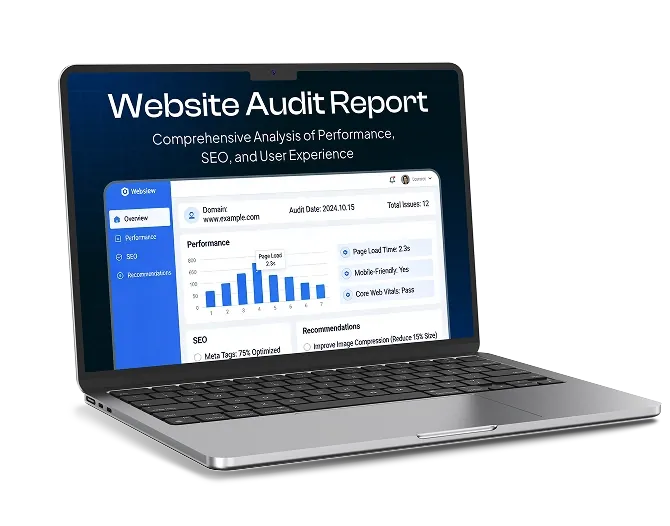
Launching a website is just the beginning. Like a car or a shop, it needs regular care to keep running smoothly. Without it, small issues quietly build up: outdated plugins, broken links, slow pages, old information and security weaknesses. Eventually they start costing you visitors, enquiries and sales.
The good news is that website maintenance doesn’t need to be overwhelming. Breaking it into regular, manageable tasks keeps your website secure, fast, visible on Google and working hard for your business.
Use this checklist as your guide. Some tasks take minutes, while others are worth setting aside a little longer for.
Weekly Tasks (Around 30 to 60 Minutes)
These quick checks help you catch problems early, before they affect your customers.
Check Your Backups
- Confirm your automatic backups have run successfully
- Make sure copies are stored somewhere separate from your website
Install Updates
- Update your website platform, theme and plugins (for WordPress websites)
- Check your website still works properly after updating
Test Key Features
- Submit a test enquiry through your contact form and make sure it arrives
- Check your phone number and email links work
- Test your booking system or checkout, if you have one
- Quickly browse your website on your phone to make sure everything displays properly
Respond and Engage
- Reply to any new website enquiries, reviews and comments
- Check for any security alerts or warnings from your security plugin or hosting provider
Monthly Tasks (Around 2 to 3 Hours)
Review Your Performance
- Check Google Analytics for visitor numbers, traffic sources and enquiries or sales
- Look at Google Search Console for search clicks, impressions and any errors or warnings
- Note which pages perform best and which need improvement
Check Your Speed
- Test your key pages with Google PageSpeed Insights
- Compress any large images added during the month
- Review the Core Web Vitals report in Search Console
Fix Broken Links
- Scan your website for broken links and “404 Page Not Found” errors
- Fix or redirect any broken pages
Add Fresh Content
- Publish at least one helpful blog post, guide, case study or news update
- Share new content on social media and in your email newsletter
- Post an update, offer or new photos on your Google Business Profile
Improve One Key Page
- Choose one important page, such as a service or product page
- Review its page title, meta description, headings and content
- Add internal links to related pages
- Make sure images have helpful alt text
Quarterly Tasks (Around Half a Day)
Audit Your Content
- Check that services, prices, team members, opening hours, and contact details are all correct
- Update older blog posts with new information
- Remove or redirect pages that are no longer relevant
Review Plugins and Tools
- Remove plugins, apps or third-party tools you no longer use
- Check remaining plugins are still supported and regularly updated
Review User Accounts
- Remove accounts belonging to former employees, freelancers or contractors
- Check each user has only the access they need
- Make sure two-factor authentication is turned on for administrator accounts
Test a Backup Restore
- Check that a backup can actually be restored, ideally on a test version of your website
Check Accessibility and Usability
- Make sure text is readable, and colours have enough contrast
- Check that your website can be navigated using a keyboard
- Review your website from a customer’s point of view. Is it easy to find information and get in touch?
Keep an Eye on Competitors
- Look at competitors’ websites, offers and search rankings for new ideas and opportunities
Yearly Tasks (A Day or Two Spread Across the Year)
Renewals
- Check your domain name renewal date, and turn on auto-renew so it doesn’t lapse
- Review your hosting plan, and check it still meets your website’s needs
- Make sure your SSL certificate is set to renew automatically
Legal and Compliance
- Review your privacy policy and cookie policy
- Check your cookie banner works correctly and meets UK GDPR and PECR requirements
- Review your terms and conditions and returns policy (for online shops)
- Make sure your company details are displayed correctly
- Update the copyright year in your footer
Strategy and Design Review
- Review your website’s performance over the past year against your business goals
- Check that your website design, branding and messaging still reflect your business
- Ask customers for feedback on your website
- Plan improvements, new features or content for the year ahead
Tips for Staying on Track
- Put tasks in your calendar. Schedule regular website maintenance just like any other important business task.
- Automate where possible. Automatic backups, security scans, uptime monitoring and domain renewals save time and reduce risk.
- Keep a log. Record updates, changes and fixes so you can quickly trace any problems.
- Use a staging site. Test major updates or changes on a copy of your website before applying them to your live site.
- Don’t ignore warning signs. If something stops working or your website suddenly slows down, investigate straight away.
DIY or Professional Website Maintenance?
Many business owners are happy to handle simple tasks such as updating content, checking enquiries and reviewing analytics. Technical tasks, such as updates, security, backups, speed optimisation and fixing errors, can be more time-consuming and riskier if something goes wrong.
A professional website maintenance plan takes these tasks off your hands, giving you peace of mind that your website is secure, up to date and performing well, so you can focus on running your business.
Keep Your Website in Great Shape
A well-maintained website is faster, safer, more visible on Google and better at turning visitors into customers. By following a simple routine of weekly, monthly, quarterly and yearly checks, you can keep your website working hard for your business all year round.
If you’d rather leave website maintenance to the experts, get in touch with Whelan Web Design to find out about our website management and support services. We help businesses across the UK keep their websites secure, up to date and performing at their best.